
Efficiency
Data Management
The First Step to Business Efficiency: Sort Your Data Out
Before investing in new software, fix the foundation: disconnected spreadsheets that slow everything down.

Put your business technology questions into a broader roadmap that reflects your business goals and the resources available. Explore Tech Clarity.
Key takeaways
- Scattered spreadsheets create silos where useful information exists in isolation, unable to connect
- Cross-referencing multiple files wastes time and causes errors - Jim might be 'James', 'Jim', or 'J. Smith' in different sheets
- A database stores information once and lets you access it from multiple angles without copying or matching data
- Start with the pain points: where do people spend the most time hunting for or cross-referencing data?
- Connected data means asking business questions in minutes, not hours - and actually asking them because answers are accessible
When businesses think about improving efficiency, they often jump straight to new software, project management methodologies, or team restructuring. These can all be valuable, but there's a more fundamental issue that needs addressing first: your data. If your business information is scattered across multiple spreadsheets that don't talk to each other, no amount of fancy tools will solve the underlying problem.
The reality is that most businesses have accumulated a collection of Excel files over time, each serving a specific purpose but none of them connected. This creates inefficiencies that ripple through every part of your operation. Let's look at why this happens and what you can do about it.
How Spreadsheet Chaos Develops #
The problem usually starts innocently enough. Someone in HR creates a spreadsheet to track employee information. It's practical and gets the job done. Then the sales team builds their own sheet for tracking KPIs. Marketing creates one for campaign performance. Operations has one for inventory or project timelines. Before long, you've accumulated dozens of spreadsheets, each living in isolation.
None of this is malicious or particularly unusual. It's actually quite logical when you look at each decision individually. The issue is that these individual solutions create a fragmented system where your business data exists in silos, unable to connect or relate to each other in meaningful ways.
The Real Cost of Disconnected Data #
Consider a typical scenario in many businesses. Your HR department maintains a master spreadsheet with employee details, whilst your annual review schedule lives in a separate spreadsheet, possibly created by a different person using a different format. When it's time to conduct reviews, someone needs to manually cross‑reference the two sheets to work out who's due for their review.
Meanwhile, your performance tracking lives in yet another file. When you want to prepare for an annual review by looking at someone's KPI performance over the past year, you're opening multiple files and trying to piece together a complete picture. This isn't just time‑consuming; it's prone to errors and you might miss important connections in the data.
When Information Can't Talk to Itself #
The problem becomes even more apparent when you're trying to answer questions that span multiple data sources. Imagine your sales manager wants to understand why certain team members are underperforming. In a spreadsheet‑based system, this requires opening four or five different files, each potentially using different naming conventions. You might find that Jim's name appears as "James" in one sheet, "Jim" in another, and "J. Smith" in a third.
Your sales KPI spreadsheet doesn't know anything about the training log. Your client contact sheet has no connection to your project timeline sheet. Your inventory tracking doesn't link to your sales data. Each piece of useful information exists in isolation.
The Human Cost #
Beyond the time wasted, there's a human element to consider. When people spend their days hunting through multiple spreadsheets, cross‑referencing data, and fixing inconsistencies, it's frustrating and demoralising. It also means they're not spending time on the work that actually moves your business forward.
Decisions get delayed because gathering the necessary information takes too long. Opportunities are missed because someone didn't have time to check all the relevant spreadsheets. Mistakes happen because people are working with incomplete or outdated information. All of this chips away at efficiency and, ultimately, at morale.
What a Database Actually Solves #
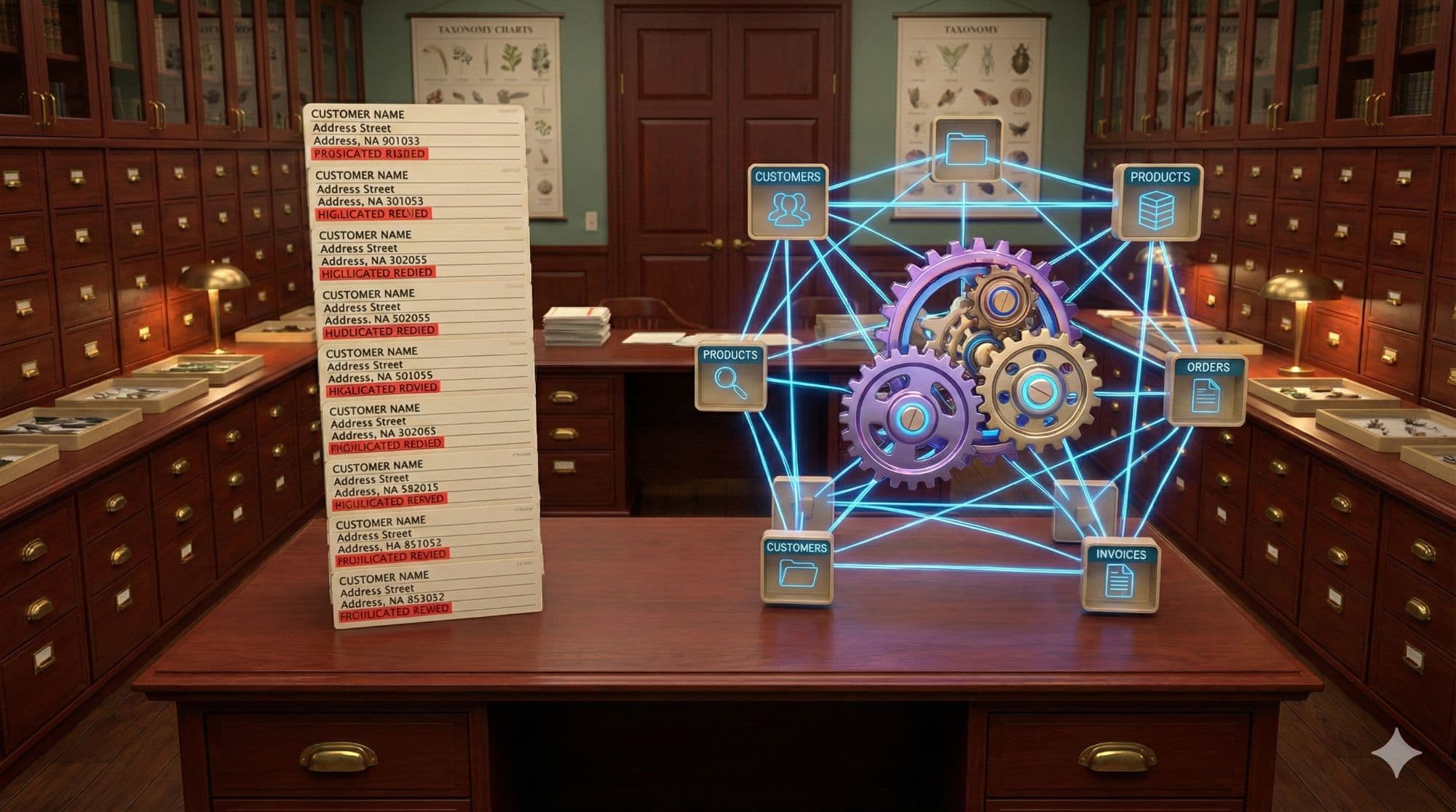
When people hear "database," they often think it means a complex IT project. In reality, a database is simply a way of storing information so that it can relate to other information. The key difference from spreadsheets is that data is stored once and can be accessed from multiple angles.
In a database, you'd store each employee's information once. Their performance records, training history, and review schedule all connect back to that single employee record. When you pull up someone's profile, you can instantly see everything relevant without copying data between sheets or matching up different naming conventions.
For your sales team, a database means your KPI tracking automatically connects to employee records and training logs. Want to see which team members have exceeded their targets and completed advanced training? That's a simple query, not an afternoon of spreadsheet wrestling.
Making the Connection #
The power of connected data becomes apparent when you start asking business questions. Which clients have we not contacted in the past three months who also have contracts up for renewal soon? In a spreadsheet system, you're matching up files manually. In a database, that information is already connected through the client record.
Which employees are due for review next quarter who have also consistently hit their targets? Again, in spreadsheets, you're cross‑referencing files. In a database, you're asking a single question and getting an immediate answer. When gathering data is straightforward, you do more analysis. When it's painful, you only do it when absolutely necessary.
Starting the Journey #
Moving from disconnected spreadsheets to organised data isn't necessarily a massive undertaking. Start with the areas where the pain is greatest. Where do people spend the most time hunting for information or cross‑referencing data?
For many businesses, connecting HR records, performance tracking, and review scheduling solves a clear problem and demonstrates the value of connected data. For others, it might be linking client information with sales data and communication logs. Begin with one clear use case, get that working, and then expand.
The Practical Approach #
Think about the questions your team asks regularly that require looking at multiple spreadsheets. Start by documenting what information needs to relate to what. Employee records probably need to connect to performance data and review schedules. Client records likely need to link to sales history and communication logs.
Once you know what needs connecting, you can start building those relationships. This might mean using a database tool, or it might mean using smarter spreadsheet structures with tools like Microsoft Access. The specific tool matters less than the principle: store information once, connect it logically, and access it from multiple angles.
The Bottom Line #
Business efficiency doesn't start with the latest project management software or a new way of running meetings. It starts with having your data in a state where it can actually be useful. When your business information is scattered across dozens of disconnected spreadsheets, you're building everything else on shaky foundations - and creating cognitive fatigue for your team.
Sorting your data out isn't glamorous work, and it won't make for an exciting announcement at the next team meeting. But it's the foundation that makes everything else possible. Connected data means faster decisions, fewer errors, and more time spent on work that matters. It means being able to answer business questions in minutes rather than hours, and actually asking those questions in the first place because the answers are accessible.
Your choice isn't between your current system and some perfect, fully automated future. It's between continuing to spend hours each week fighting with spreadsheets, or taking the time now to connect your data properly. The latter might take some effort upfront, but it pays dividends every single day afterwards.
Start small, focus on the pain points, and build from there. Your data doesn't need to be perfect; it just needs to be connected. Everything else can wait. For more quick improvements, see our guide on picking the low-hanging fruit in business efficiency. Once your data is organised, learn about how databases can scale your business.
A useful companion: Spreadsheet Replacement Checklist.
Quick Questions
Why are multiple spreadsheets a problem for business efficiency?
Spreadsheets exist in silos - they can't connect or relate to each other. Finding information requires checking multiple files. Names appear differently in each sheet. Cross-referencing takes hours and causes errors. People spend time on data wrangling instead of actual work.
What's the difference between spreadsheets and a database?
A database stores information once and connects it logically. Employee records link to performance data, training history, and review schedules automatically. In spreadsheets, you'd copy data between files and match names manually. The database answers questions instantly that would take hours in spreadsheets.
How do I start organising my business data?
Start where the pain is greatest - where people spend the most time hunting for information or cross-referencing. Document what information needs to connect to what. Begin with one clear use case (like HR records + performance + reviews), get it working, then expand.
Does organising data require a major IT project?
Not necessarily. The principle matters more than the specific tool: store information once, connect it logically, access it from multiple angles. This might mean a database tool, or smarter spreadsheet structures with tools like Microsoft Access. Start small and build from there.
Other articles worth reading

Efficiency
Why Your Spreadsheets Are Costing You Money: The Hidden Cost of Disconnected Data
Manual processes and isolated spreadsheets create hidden costs through wasted labour, missed opportunities, and preventable errors.

Efficiency
Manual Data Entry: Common Mistakes That Slow Down Your Business
Manual data entry kills productivity through inconsistent formatting, delays, human errors, and duplicate work across disconnected systems.
Efficiency
Your Business Brain: Understanding Databases Without the Jargon
Move beyond spreadsheets to scale efficiently. A database is your business's central nervous system for customer data and decisions.