Productivity Tools
Digital Habits
How to Use Your Phone to Increase Productivity
Your phone doesn’t have to be a distraction. With deliberate setup, right tools, and boundaries, it can become one of your most productive assistants.
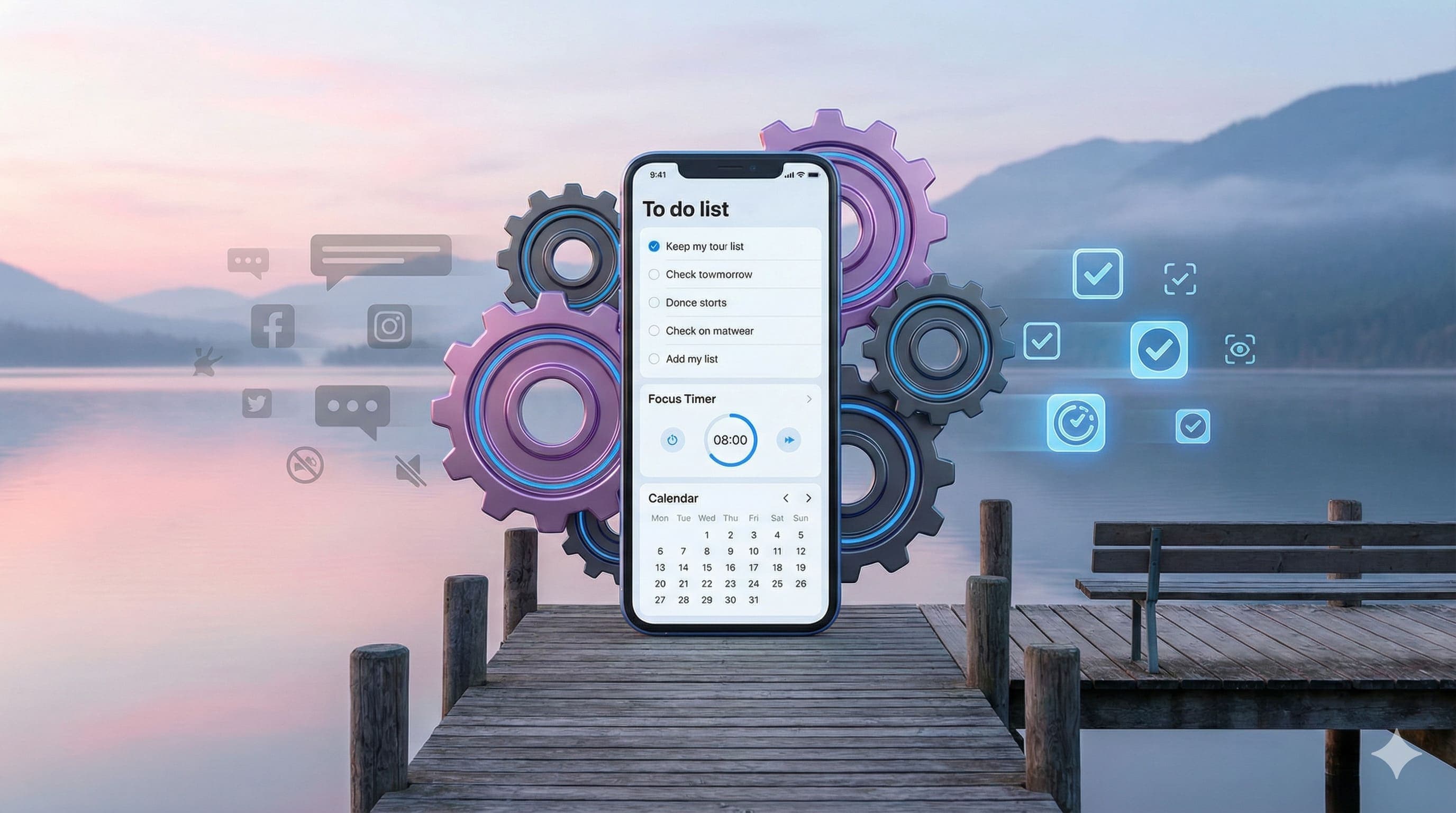
Use a small practical exercise to apply the ideas in this guide. Try the Pomodoro timer.
Key takeaways
- Turn off non-essential notifications and use Do Not Disturb during focused work or rest
- Organize your home screen: only keep frequently used apps visible, use folders for the rest
- Use task manager and calendar apps to capture tasks immediately so you don't forget them
- Automate repetitive tasks: messaging templates, recurring reminders, time-blocking apps
- Schedule phone-free blocks to boost concentration and preserve mental energy
You might think your phone is the enemy of focus - but used wisely, it can become a powerful productivity ally. With the right strategies, your phone can help you organise, automate, focus, and stay connected without falling into distraction traps.
Set Boundaries to Reduce Distraction #
- Turn off or limit non-essential notifications. Silence interruptions except from key contacts or apps that matter.
- Use built-in features like "Do Not Disturb" or Focus Mode during dedicated work or rest periods.
- Schedule phone-free blocks in your day - times where you won't use your phone unless necessary, to boost concentration and preserve your mental energy.
- Consider greyscale or reduced colour modes for certain times of day to reduce the screen's pull and make it less tempting to browse mindlessly.
Simplify & Structure Your Phone for Efficiency #
- Clean up your home screen: keep only the apps you use frequently. Move distracting apps off the main page or into folders. Our guide on arranging your apps in 10 minutes walks you through exactly how to do this.
- Use widgets or shortcuts for tasks you often perform (e.g. calendars, to-do list, note taking) so you can access them quickly.
- Create app folders by category (work, communication, reference, utility) so you can locate what you need without distraction.
- Use cross-device sync for notes, documents, tasks so your work flows between your phone, tablet or desktop seamlessly.
Use Tools & Apps Intelligently #
- Use task manager apps to capture tasks the moment they come up - you won't forget them, and you can organise them later.
- Use calendar apps to schedule both work tasks and reminders - treat your phone calendar like a second brain for deadlines.
- Use voice recognition / dictation for quick notes, reminders or getting ideas into writing when typing is inconvenient.
- Use timers or techniques like the Pomodoro method to structure work intervals and breaks.
Automate Repetitive and Low-Value Work #
- Set up routines or automations for common tasks: messaging templates, recurring reminders, automated backups, or file syncing.
- Use apps that block or limit time on apps you find unhelpful or distracting during work periods.
- Integrate assistant tools (voice assistants or smart routines) to handle small tasks: "remind me at 3pm", "send a message", "set alarm" etc.
Stay Connected & Work Better with Others #
- Use collaboration and communication apps to stay in sync with colleagues, share progress, and avoid misunderstandings.
- Use your phone when on calls, walking or travelling to respond or check small items so you're not playing catch-up later.
- Set up shared calendars or group tools so that everyone is aware of key tasks, meetings or project deadlines.
Using Phone as a Focus-Tool #
- Launch sessions of focus work: pick a length of time (25 minutes, 50 minutes etc.) where you commit to working, screen locked away from distractions, notifications silenced.
- Use apps that encourage focused work (for example apps that "grow a tree" or reward not touching your phone).
- If you tend to distract easily, use blockers that prevent access to tempting apps during work periods.
Tips for Making These Changes Stick #
- Start small: change one thing at a time (maybe notification settings, or home screen layout).
- Set triggers or routines: e.g. "when I sit at my desk I open my task list"; "before bedtime, I enable greyscale or shutdown mode."
- Review your usage: periodically check what apps are taking most time, whether you feel more focused, whether work is smoother.
- Adapt to your own habits: what works for one person may feel uncomfortable for another; adjust the tools, times, rhythms accordingly.
Phones are never going away, and they can easily be the biggest source of distraction. But when you take control of your device instead of letting it control you, you'll find more headspace, deeper focus, and a lot more done.
A useful companion: Pomodoro Timer.
Quick Questions
How can I make my phone more productive?
Turn off non-essential notifications, organise your home screen to minimise distractions, use task manager and calendar apps to stay organised, automate repetitive tasks, and schedule phone-free blocks during focused work periods.
How do I stop my phone from being a distraction?
Use Do Not Disturb or Focus Mode during work hours, silence all but essential notifications, move distracting apps off your home screen or into folders, consider greyscale mode to reduce the screen's appeal, and use apps that block access to time-wasting apps during work.
What apps should I use for productivity on my phone?
Use task manager apps (Todoist, Things) to capture tasks instantly, calendar apps for deadlines and scheduling, note-taking apps for quick ideas, and timer apps for techniques like Pomodoro. Also consider focus apps that reward you for not touching your phone.
How do I organize my phone for efficiency?
Keep only frequently-used apps on your home screen, create folders by category (work, communication, utilities), use widgets for quick access to calendars and tasks, set up cross-device sync so work flows between devices, and periodically review what apps are actually useful.
Other articles worth reading

Productivity Tools
Why 1Password Is Good for Productivity
1Password helps you reduce friction, save time, and stay secure. By managing your passwords, passkeys, device syncing and autofill, it frees mental energy so you can focus on more important tasks.
Productivity Methods
Benefits of Using a To-Do List
To-do lists help offload mental load, organise priorities, reduce stress, and stay motivated. Simple but powerful for output and mindset.
AI & Automation
ChatGPT for NZ Small Business: A Practical Starting Guide
Start with a low-risk drafting or summarising task, check the result and measure the benefit. Useful AI adoption depends on your work, not a promised weekly time saving.